Clean-the Creative PowerPoint Template: A Designer's Honest Review
Let's be real: we've all sat through presentations that look like they were designed in 1998. Clip art, chaotic fonts, and color schemes that hurt the eyes. It’s distracting, unprofessional, and frankly, a bit embarrassing. That’s why finding a tool like the Clean-the Creative PowerPoint Template feels like a genuine relief. It’s not just another slide deck; it’s a foundational design system built for people who need to communicate ideas clearly and with a touch of modern sophistication. If you're tired of wrestling with messy layouts and want to project confidence from the first slide, this is worth a serious look.
What Makes This Template Stand Out?
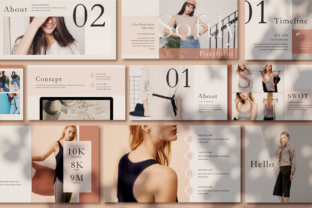
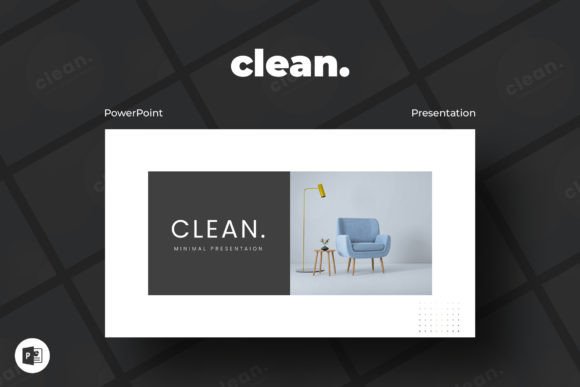
At its core, the Clean-the Creative PowerPoint Template is about minimalism with purpose. The visual personality is one of quiet confidence. It doesn’t shout with flashy animations or overwhelming graphics. Instead, it uses generous white space, a clean grid structure, and a carefully curated set of sans serif font choices that feel contemporary and highly readable. The overall appeal is professional, versatile, and calm. It’s the kind of design that lets your content do the talking, which is exactly what you want when presenting a business plan, a marketing strategy, or a creative portfolio.
The template comes packed with over 35 unique slides, but what really matters is their quality. Each layout is thoughtfully arranged to guide the viewer's eye. You’ll find slides for timelines, team introductions, data visualization, image showcases, and more. The inclusion of 20+ color themes is a game-changer. Instead of being locked into one palette, you can instantly switch the entire deck’s mood to match your brand identity or the specific tone of your project. This level of customization is what separates a premium asset from a basic one.
Real-World Applications: Where Does It Shine?
This template’s strength is its adaptability. For the creative industries—designers, photographers, illustrators—it’s a natural fit. Imagine showcasing your portfolio in a presentation that feels as polished as your work. The easy drag & drop to change picture feature means you can update visuals without fuss, maintaining the clean aesthetic. For entrepreneurs and startups, it’s the perfect vehicle for investor pitches and internal strategy meetings. The 16:9 Full HD ratio ensures your slides look sharp on modern projectors and screens, avoiding that awkward cropped or stretched appearance.
But its use cases extend far beyond traditional business. Marketers and content creators can leverage it for client presentations, campaign overviews, or even to create visually consistent social media graphics by exporting individual slide designs. Bloggers and publishers could use it to develop visual summaries of articles or to create media kits. The key insight is that the Clean-the Creative PowerPoint Template isn’t just for live presentations. It’s a versatile design asset. You can use its layouts as a starting point for editorial design mockups or to quickly assemble visual guides for your team.
Practical Guidance for Getting the Most Out of It
So, you’ve decided to use it. Here’s some practical advice from a designer’s perspective. First, resist the urge to use all 35+ slides in one presentation. Curate ruthlessly. A focused, 15-slide deck built with this template will be far more powerful than a sprawling 40-slide marathon. The template’s design supports this—it gives you the tools, but you provide the editorial judgment.
Next, play with the font pairing possibilities. While the template uses free fonts, consider how you might integrate a single premium font for your main headings if your brand guidelines allow. A strong display font or a subtle serif font used sparingly can add a unique layer of personality while keeping the body text in the template’s clean sans serif for maximum readability. This creates a sophisticated visual hierarchy that looks custom-designed.
Finally, leverage the 4000+ icons pack thoughtfully. Icons are fantastic for simplifying complex ideas, but overuse can clutter the minimal layout you’re trying to achieve. Use them as visual punctuation, not as the main content. And remember the free & fast support service. If you hit a snag with a graphic or need advice on a layout, reaching out is a smart move. It’s a resource many people forget they have access to.
The Bottom Line: A Foundation for Professional Communication
The Clean-the Creative PowerPoint Template solves a fundamental problem: it gives you a professionally designed starting point that you can make entirely your own. Its modern typography, logical structure, and extensive customization options save you time and eliminate the guesswork of layout design. It influences how your audience perceives you—organized, thoughtful, and detail-oriented. Whether you’re building a brand identity presentation, a marketing report, or a personal project proposal, this template provides the consistent, high-quality framework that lets your ideas shine without visual distractions. It’s a practical tool that earns its place in your creative toolkit.